
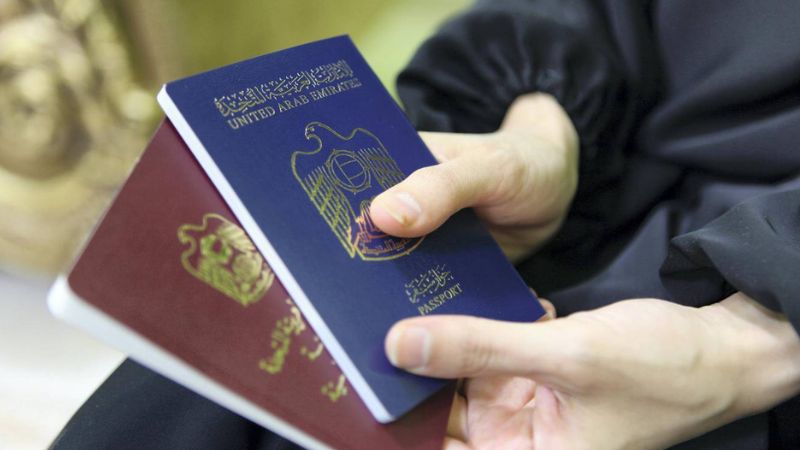
Photo for illustrative purposes only. ARCHIVE
UAE visa validity can be checked through passport
UAE residents who are unsure of the validity of their visas can check the expiry or status of their permits using only their passports. People in the UAE had an excellent opportunity to learn more about managing visa-related problems through an awareness campaign last Saturday (February 25), including overstaying visas and visa extensions. ALSO READ: GDRFA Dubai campaign for visa overstayersHow much is the fine for overstaying visas?
According to a social media post from the General Directorate of Residency & Foreigners Affairs (GDRFA), the campaign aims to promote a culture of observance of entry and residency laws. In the UAE, there is a fee of Dh50 per day for exceeding the allotted visa period. This is also true for the cancellation of a visa, which frequently carries severe penalties. The GDRFA claims that this initiative will allow UAE residents to resolve any visa-related problems. Every two or three years, depending on the type of visa, every resident of the UAE must renew their visas.How to check visa extension, validity through passports?
The only information you need to check the validity of your visa is your passport number and expiration date. Through the Federal Authority for Identity and Citizenship (ICP) website, a resident can enter passport information to check whether the issued visa is authentic and still valid. — Visit the link: smartservices.icp.gov.ae. — Select the 'Passport Information' radio button. — Select either 'residency' or 'visa.' — Enter passport number and passport expiry date. — Select the Nationality from the dropdown on the right. The box on the left will display a corresponding number. — Click on the captcha box and select search. Your visa information and expiry date will now be shown on the page. KD/Expat MediaFor all the latest news from the UAE and the world, follow us on Facebook, Twitter and Instagram and subscribe to our YouTube page














Comments
Leave a Comment